Core Rules13. Terrain
changed13.02Terrain Categories
Each terrain feature belongs to a terrain category, which can affect the movement and visibility of models. Below are some examples of which types of terrain features fall under each category.
A mission’s deployment map may define which terrain categories should be present within each terrain area. Meeting these requirements will create the best gaming experience. Note that terrain features sharing the same terrain area can belong to different terrain categories.
13.02.01 - Creating Your Own Battlefield
Don’t worry if your battlefield doesn’t match a mission’s terrain category requirements; just do the best with the terrain features you have. If a mission does not provide you with guidance, it will be up to the players to decide how to create their battlefield. When doing so, keep in mind that dense terrain features have the greatest impact on visibility and movement. Battlefields with too few dense terrain features can advantage armies that rely on shooting, or disadvantage armies that rely on melee. Also remember to leave sufficient room around dense terrain features for larger models such as MONSTERS/VEHICLES to manoeuvre, especially near the edges of the battlefield.
Terrain Placed on a Mat
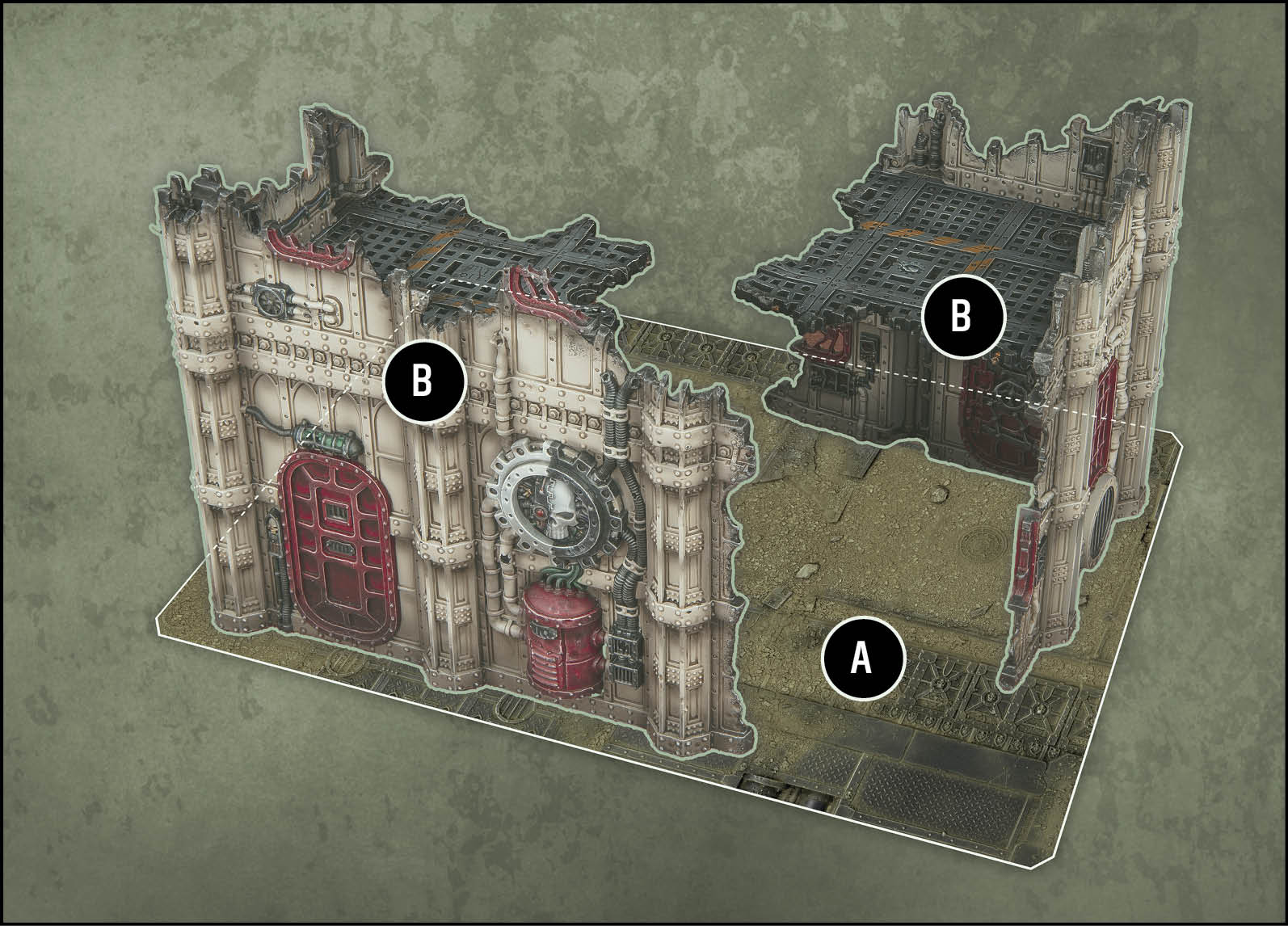
Two *terrain features* have been placed on a mat. The edges of this mat define the boundary of this *terrain area (A)*. Both *terrain features (B)* are ruins, so use the rules for *dense terrain features*.
Terrain Placed on a Battlefield
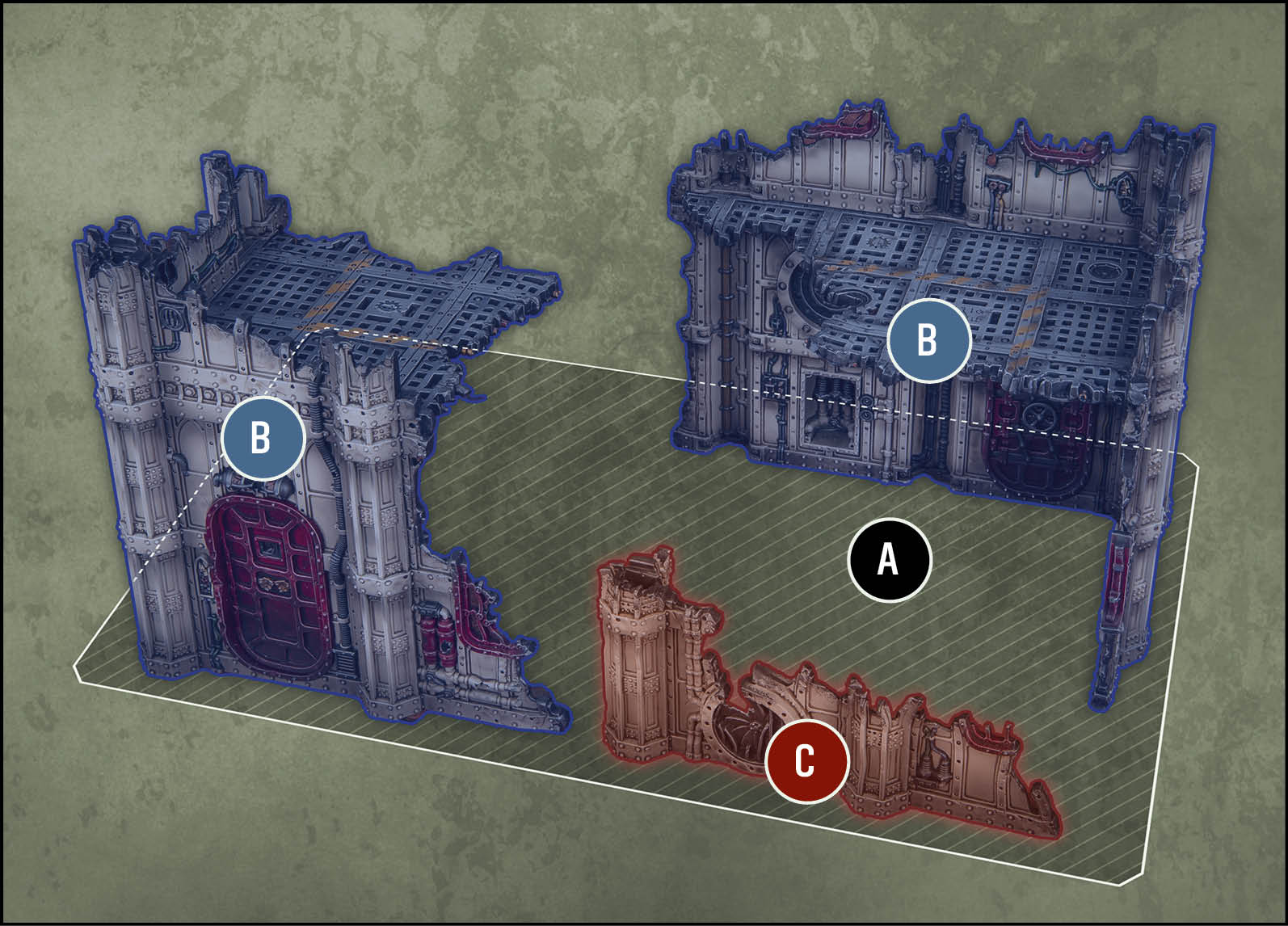
Three *terrain features* have been placed directly on the battlefield. The players have agreed on the boundary of the *terrain area (A)* defined by these features (the shaded rectangle). The BLUEBLUE features *(B)* are *dense terrain features* and the REDRED feature *(C)* is a *light* *terrain feature*.
Core Rules18. Transports
changed18.04Disembark Move
- Before moving
Select disembark mode:
- Rapid Disembark: If that TRANSPORT made a normal or ingress move this phase, you must select this mode.
- Tactical Disembark: Otherwise, If that TRANSPORT remained stationary or has not yet been selected to move this phase, and if you can set up your unit as described below, you must select this mode.
- Combat Disembark:Otherwise, you must select this mode. Make a hazard roll for each model in your unit.
- While moving
Set up each model in your unit wholly within the set-up distance of that TRANSPORT.
- Rapid Disembark: If that TRANSPORT made an ingress move this turn, each model must follow the same rules that TRANSPORT had to follow while resolving that move.
- Combat Disembark: Each model can be set up engaged with one or more enemy units that TRANSPORT is engaged with.
- After moving
- Rapid Disembark: Until the end of the turn, your unit is not eligible to declare a charge.
- Tactical Disembark: Select your unit to make a normal or advance move.
- Combat Disembark: Your unit is battle-shocked and, until the end of the turn, it is not eligible to declare a charge.
Core Rules19. Attached Units
changed19.01Forming Attached Units
Some units have the Leader or Support ability listed on their datasheet (24.22 & 24.34). Such units are known as leader units and support units respectively. Both of these abilities allow such units to lead other friendly units (known as bodyguard units) to form attached units. An attached unit is a single unit for all rules purposes. Leader and support units can only lead specific bodyguard units, as listed in the Warhammer 40,000 app
19.01.01 - Attached Units After Their Bodyguard Unit is Destroyed
Some units have rules stating that when the bodyguard unit in an attached unit is destroyed, leader/support units that were attached to them become separate units with their original starting strengths.
When the bodyguard unit in an attached unit affected by such a rule is destroyed, all of those leader/support units remain a single unit for all rules purposes.